Point the source
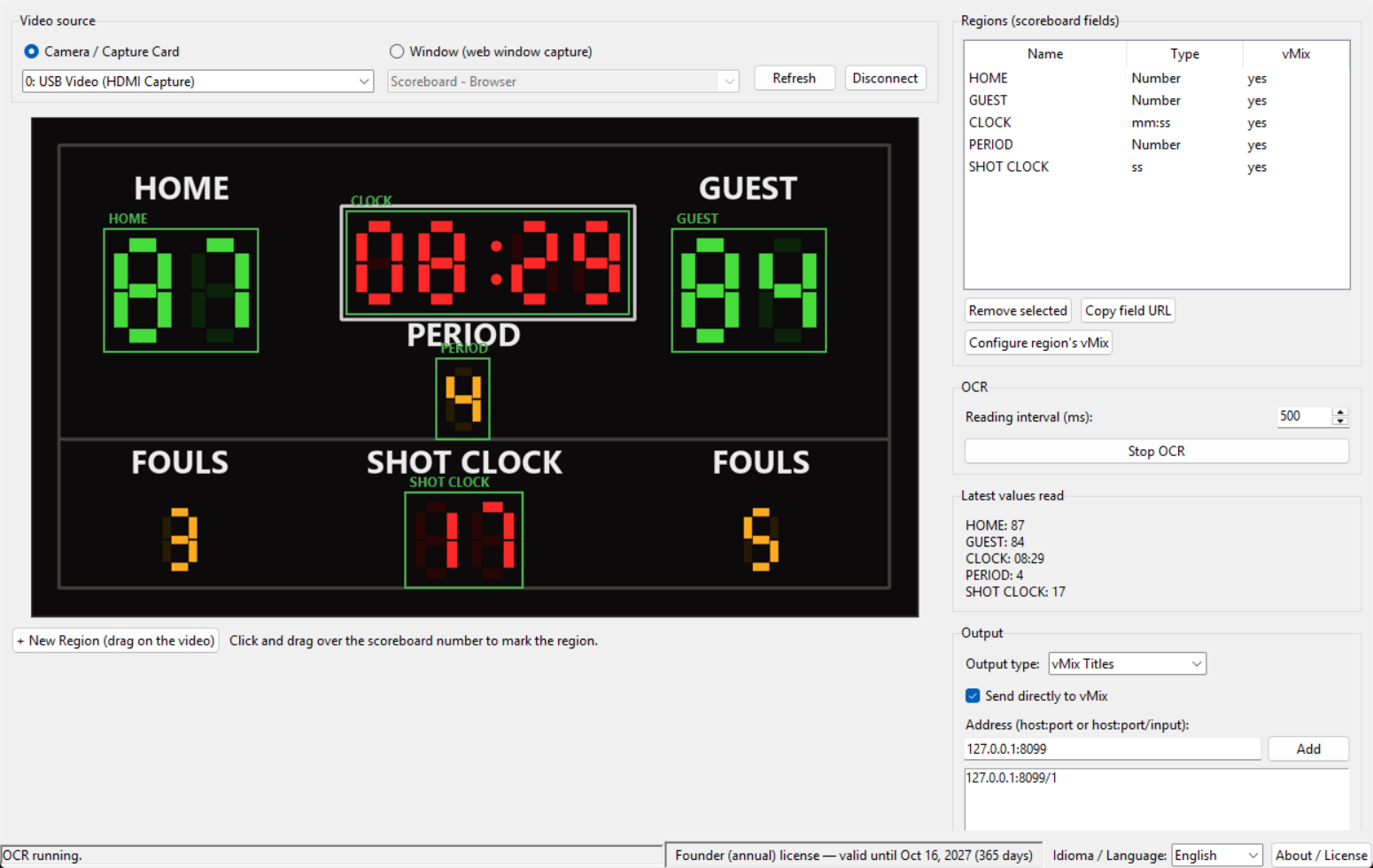
Regular camera, capture card or a window (even a web scoreboard) — Bicho ScoreBoard connects to your scoreboard's image.
Point a camera, capture card or window at the scoreboard. Bicho ScoreBoard reads the numbers and sends them straight to vMix or OBS, in real time — no dedicated operator.
15 days free, no credit card. You talk directly to the people who built it.
Either someone is stuck typing the score point by point during the stream, or the production company pays a fortune every year for an automation tool only big broadcasters can afford.
Without automation, you need an extra person just to watch the physical scoreboard and update it by hand for the whole game.
Professional scoreboard automation tools can cost thousands a year — out of reach for small producers, schools or amateur leagues.
A gym, court or field with weak signal becomes a risk of dropping mid-stream — or an extra cost to run offline.
No configuration to write. It's all visual — point, mark, connect.
Regular camera, capture card or a window (even a web scoreboard) — Bicho ScoreBoard connects to your scoreboard's image.
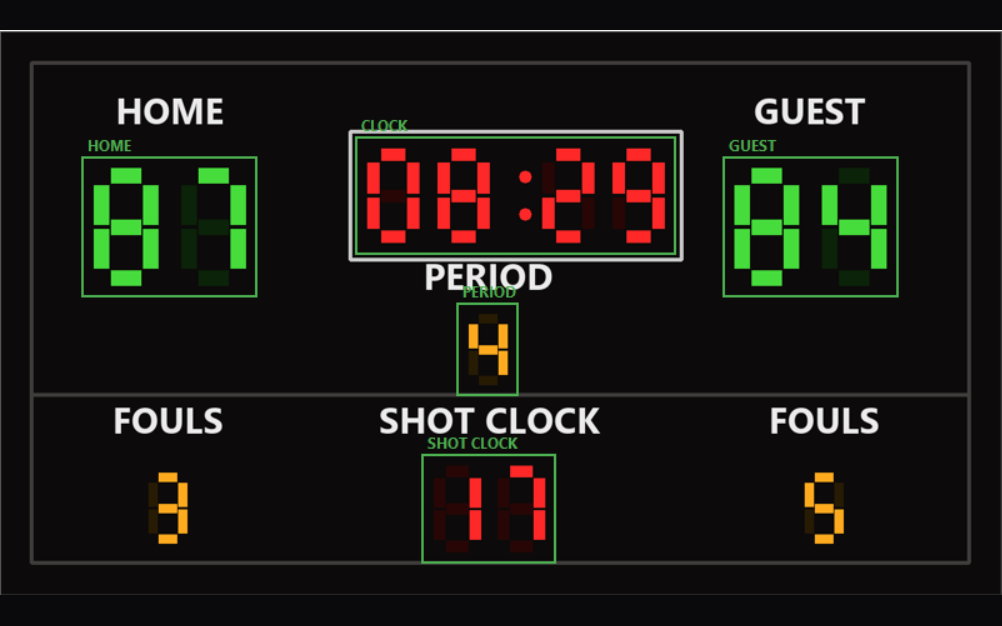
Draw a rectangle over each number — home, guest, clock, shot clock — and give each field a name.
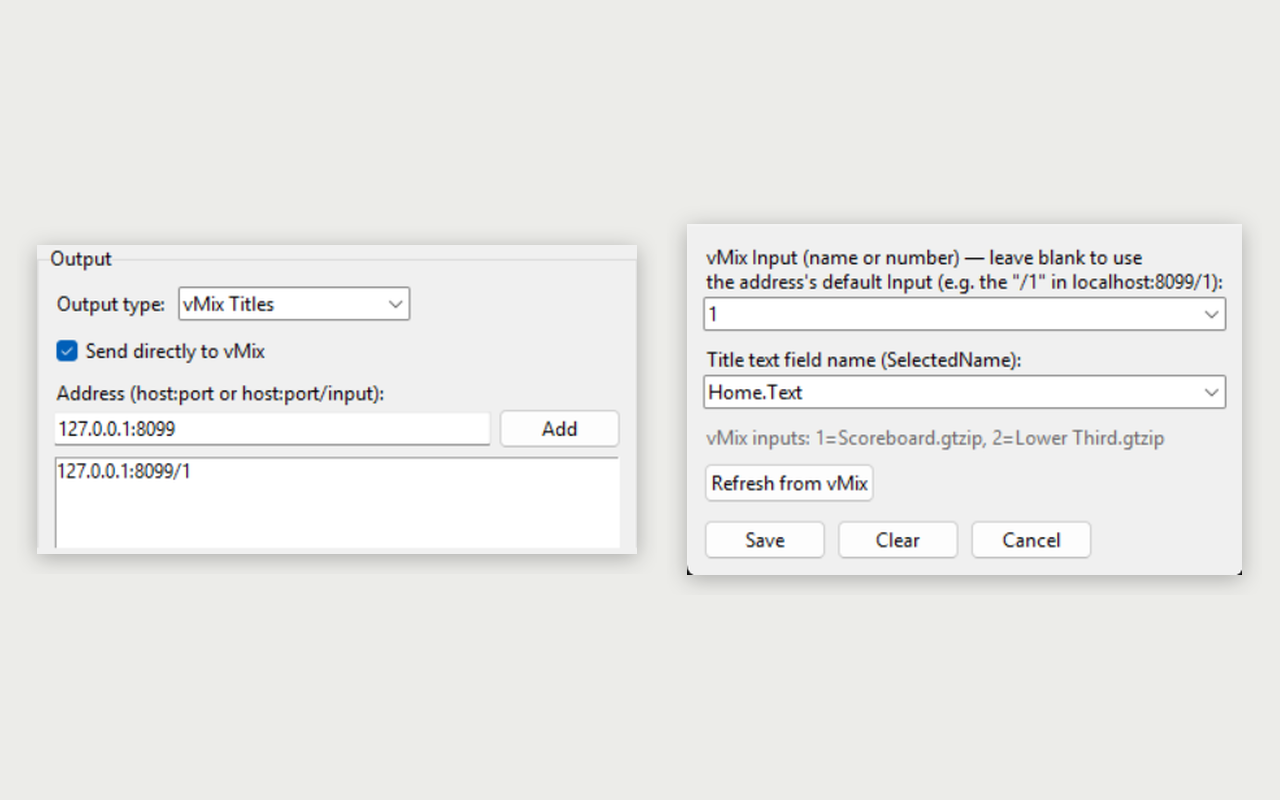
Send it as a browser overlay (transparent background) or straight into a vMix Title — even to more than one output at once.
Install it, click “Try free” and use every feature. No credit card. Internet is only used to start the trial — then everything runs offline.
Regular camera, HDMI/USB capture card or window capture.
Score, game clock (mm:ss) and shot clock, each in the right format. Reads solid-digit and 7-segment scoreboards.
Updates your existing Title in real time — no extra browser source needed.
A local URL with a transparent background, ready to use as a Browser Source.
Holds the last value when someone walks in front of the camera and confirms each change before publishing.
Reading and overlay run on your computer. Internet only unlocks access and announces updates.
Join now with a real discount, help shape the product and lock in this price for your first year.
Limited spots — the price goes up as the first spots fill.
Rather try it first? Free 15-day trial
Not to stream. Scoreboard reading and the overlay run on your computer, offline. A connection is only used to unlock the trial or your access and to announce updates — and you can turn that off.
Bicho ScoreBoard reads solid-digit and 7-segment scoreboards — the most common type in gyms and courts — from a camera, capture card or window, regardless of brand or model. Dot-matrix LED scoreboards are not supported yet. If in doubt, use the free trial or send us a photo of your scoreboard on WhatsApp.
Install it, click “Try free for 15 days” and use every feature. No credit card. One trial per computer.
Right away. After paying, click “I've paid — unlock access” and the program works immediately. The final license is applied automatically shortly after — nothing to paste.
No. Setup is fully visual: mark the region on screen with your mouse and pick the field format.
Both, at the same time if needed — even to more than one output (e.g. main production + backup).
The license lasts 12 months and is tied to the computer where you activate it. The program warns you before it expires; the renewal arrives through the program itself or WhatsApp — and your settings are kept.
The program, manuals and installer are available in Portuguese, English and Spanish.
With the founder offer, we do your first setup together on a call — at no extra cost.
Try it free for 15 days, or message us on WhatsApp and lock in the founder price.